
Vigilante
Make showing up mean something.
Choose a GitHub repository and a daily commitment. Vigilante verifies your real pushes — and every one rebuilds a little more of a town that’s waiting for you.


On the plate.
One repository. One clear daily commitment.
Qualifying pushes are your proof. No source code is read.
Streaks and recovery, never wiped by one bad day.
Free tastings.
Profile Roast SPICYA playful take on your public GitHub activity.Consistency AuditYour last 30 days of public GitHub.The full story, at your pace
Recipe notes.
About this dish
Available in your browser
Your work.
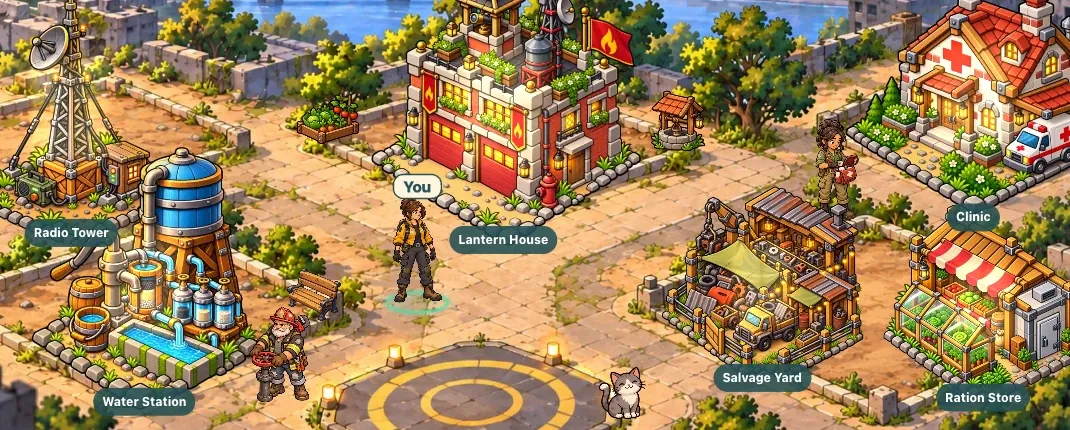
A world to rebuild.
Vigilante turns GitHub-verified daily commitments into progress in a post-apocalyptic settlement.
The everyday loop
Connect GitHub, choose a repository and set a daily commit target. Push qualifying work to that repository. When the daily target is verified, a supply crate brings Materials and XP, and your campaign moves forward. In the game, you use supplies to rebuild Lantern District and welcome survivors.
The campaign follows a 100-level story across ten chapters. Chapter one has an illustrated Journey; later chapters use simpler story content. The settlement is the place you return to between pushes, with buildings that change as you upgrade them.
A target you can keep
Start with a project you actually want to finish and a target that leaves room for busy days. Vigilante verifies activity, not the quality of an entire project. A high commit count is not a substitute for useful work, and you should not split changes just to satisfy a number.
Your selected execution time zone defines the daily boundary. Check that setting before starting a challenge, especially if your normal work crosses midnight. A missed day pauses idle production; it does not delete what you have built.
Verification and access
Vigilante uses GitHub push metadata rather than fetching source-code contents or diffs. Commit identifiers, timestamps and changed-file metadata let the backend evaluate qualifying work. GitHub labels the App permission “read contents” because push notifications require that permission. Read the briefing and app privacy policy before connecting a repository.
Merge, empty and documentation-only commits do not advance the target. The verification rules measure a specific signal, not whether you learned something or solved the right problem. You still decide what meaningful progress looks like.
Recovery and optional upgrades
Revival Fluid can mend a missed day. A mended day stays distinct from verified work and earns no verified-day award. The recovery screen can be dismissed, so you can inspect your settlement without pretending a missed commitment was completed.
The core game is free. Optional Pro features include twice the building speed, a second repository per goal, advanced Insights and premium share designs. Current plans and prices appear on Vigilante’s pricing page and in the app before checkout. An upgrade never buys a verified day.
You can explore the free public GitHub check-up before deciding to connect an account.
Explore Vigilante ↗